Skip to content
Slide Tips

Slide Tips

  • All Articles
  • App
  • Coding
  • Hardware
  • More
    • Operating System
    • Outlook
    • PowerPoint
    • Review
    • Software
    • Tip & Trick
    • Troubleshooting
    • Windows

App

Amazon App Store Download For PC: Legacy System Bypass Without Cloud Dependencies
October 13, 2026 by Wesley Zamora
Amazon App Store Download For PC: Legacy System Bypass Without Cloud Dependencies

My Amazon App Store download for PC was the missing piece that finally let me access those Fire OS apps without a tablet. ⚡ The trick? Using the legacy installer that bypasses cloud restrictions—something Amazon quietly…
Read more

Categories App

Application/Octet-Stream to Pdf: Instant Conversion Without Cloud Uploads

October 7, 2026 by Wesley Zamora
Application/Octet-Stream to Pdf: Instant Conversion Without Cloud Uploads

Converting an unknown file with application/octet-stream to PDF doesn't need cloud uploads—it's faster and safer right on your machine. ⚡ I've handled hundreds of these files in my Denver tech center, and the right tools…

Read more

Categories App

C++ File Append Tutorial: Streamlined Write-Only Code for Data Logging

November 18, 2026 by Wesley Zamora
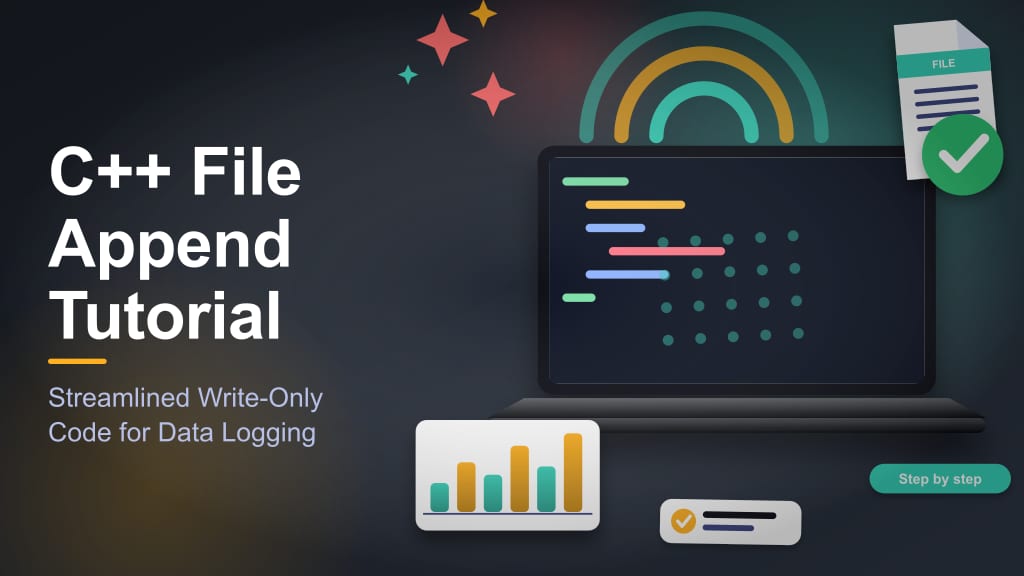
C++ File Append Tutorial: Streamlined Write-Only Code for Data Logging

Writing to a file in C++ without overwriting existing data is one of those simple tasks that suddenly becomes critical when your data logging system fails. ✨ I’ve debugged enough crashed logging systems to know that…

Read more

Categories App

Can You Download a Google Site: Official Methods and File Types Explained

October 11, 2026 by Wesley Zamora
Can You Download a Google Site: Official Methods and File Types Explained

💥 Quick Answer Yes, you can download a Google Site by exporting its contents as a ZIP file through the 'File' > 'Download Site' option in site settings, but this only captures static HTML/CSS/JS files—not dynamic…

Read more

Categories App

Download Microsoft to Do Desktop App: Legacy PC Compatibility Without Cloud Dependencies

October 11, 2026 by Wesley Zamora
Download Microsoft to Do Desktop App: Legacy PC Compatibility Without Cloud Dependencies

Downloading Microsoft To Do's desktop app saved me from losing my task list when my phone battery died during a cross-country flight. ✨ The official version runs locally—no cloud sync required—so your to-dos stay put…

Read more

Categories App

How to Add to Authenticator App: Step-by-Step Visual Setup Guide

November 20, 2026 by Wesley Zamora
How to Add to Authenticator App: Step-by-Step Visual Setup Guide

Adding accounts to an authenticator app is the first step toward locking down your digital life with real two-factor security. ✨ I remember setting up my first account back in 2012—back when we still printed paper…

Read more

Categories App

How to Completely Uninstall an App: Erase All Traces Without Leftover Files

October 8, 2026 by Wesley Zamora
How to Completely Uninstall an App: Erase All Traces Without Leftover Files

My first hard drive replacement in uncle's basement taught me one lesson that still saves me headaches today: completely uninstalling an app isn't just about dragging it to the trash. ⚡ The real cleanup happens in the…

Read more

Categories App

How To Download SharePoint Mobile App: Instant Access on iOS and Android

October 8, 2026 by Wesley Zamora
How To Download SharePoint Mobile App: Instant Access on iOS and Android

Downloading the SharePoint mobile app puts your work files in your pocket—literally. I’ve helped dozens of coworkers turn their phones into productivity powerhouses this way, and the process is simpler than most expect…

Read more

Categories App

How to Make In-App Purchases: Secure Payment Steps for Any App

October 9, 2026 by Wesley Zamora
How to Make In-App Purchases: Secure Payment Steps for Any App

To make in-app purchases work smoothly, start by verifying your payment method is linked to the correct app store account—this is where 90% of failed transactions happen. ⚡ I’ve seen users spend hours troubleshooting…

Read more

Categories App

How to Turn on Automatic App Updates: Quick Toggle for Seamless Software Refreshes

October 12, 2026 by Wesley Zamora
How to Turn on Automatic App Updates: Quick Toggle for Seamless Software Refreshes

Turning on automatic app updates used to feel like a chore—until I realized it’s the one setting that saves me hours every year. ✨ My Windows 11 machine now updates apps silently in the background, while my MacBook…

Read more

Categories App
Page1Page2Next →

About Me

Wesley Zamora

Wesley Zamora
My first computer was a clunky desktop with a dial-up connection that screeched like a banshee every time I tried to load a webpage. That machine taught me patience—and the fact that tech isn’t just about speed, but about solving problems in clever ways. Now, I run this site to cut through the noise and help people actually *use* technology, whether it’s fixing a stubborn Windows update or finally understanding why your Wi-Fi keeps dropping. Think of me as your friendly guide through the digital jungle—no jargon, just real answers.

Learn more

Recent Posts

  • X-Frame-Options SameOrigin: Security Risks and Corrective Headers
    X-Frame-Options SameOrigin: Security Risks and Corrective Headers
  • How to Set Up Outlook on Galaxy Watch 4: Step-by-Step Sync Guide
    How to Set Up Outlook on Galaxy Watch 4: Step-by-Step Sync Guide
  • How to Uninstall Microsoft Phone Link: Step-by-Step Guide for Complete Removal
    How to Uninstall Microsoft Phone Link: Step-by-Step Guide for Complete Removal
  • How to Remove Gridlines in Powerpoint: Instant Clean Slate in Seconds
    How to Remove Gridlines in Powerpoint: Instant Clean Slate in Seconds
  • How to Update Old Samsung Tablet to Latest Version: Step-by-Step Guide for Faster Performance
    How to Update Old Samsung Tablet to Latest Version: Step-by-Step Guide for Faster Performance
  • All Guides
  • About
  • Contact
  • Privacy Policy
  • Cookie Policy
  • Terms of Use
© 2026 slidetips.work