
Coding
SQL Server 2012 introduced groundbreaking features that transformed database management for developers and DBAs alike. These 10 game-changing tools enhanced performance, security, and usability—making it a pivotal upgrade for enterprise environments.
AlwaysOn Availability Groups for High Availability

If your business can't afford even a second of downtime, AlwaysOn Availability Groups in SQL Server 2012 is your safety net. This feature introduced synchronous data replication across multiple servers, ensuring mission-critical applications stay online during hardware failures or planned maintenance.
With automatic failover and readable secondary replicas, you get high availability without sacrificing performance. The primary replica handles all read/write operations, while secondary replicas mirror data in real-time, ready to take over instantly. This eliminates manual failover scripts and reduces recovery time from hours to seconds.
Perfect for financial institutions, healthcare providers, and e-commerce platforms, AlwaysOn Availability Groups turned SQL Server into a battle-tested setup. ⚡
Columnstore Indexes for Massive Performance Gains

Tired of slow analytical queries chewing through your data warehouse resources? Columnstore indexes in SQL Server 2012 deliver a game-changer with 10x compression and blazing-fast aggregations—ideal for BI workloads drowning in large datasets.
This feature stores data column-wise instead of row-wise, slashing storage costs while boosting query speeds for aggregations, joins, and scans. Perfect for data warehousing and business intelligence, it cuts I/O bottlenecks and reduces hardware costs. The best part? It works seamlessly with existing rowstore indexes for hybrid workloads.
Data analysts and BI teams will love this—no more waiting hours for complex reports. ⚡
Contained Databases for Enhanced Security
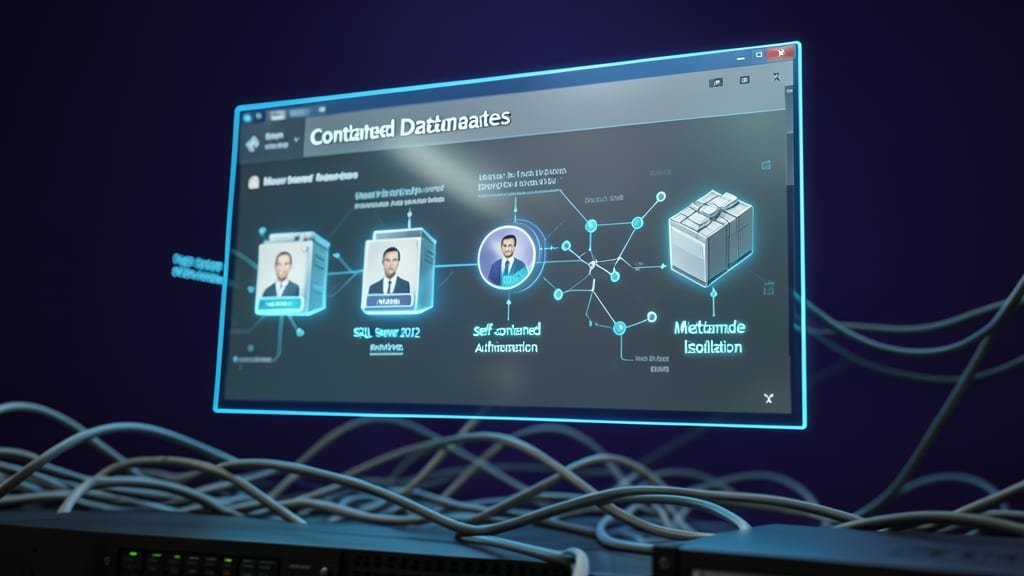
Tired of juggling complex permissions across servers just to isolate a single database? Contained Databases in SQL Server 2012 introduced a game-changer: self-contained authentication and metadata, letting each database manage its own users, logins, and even linked servers without relying on the instance-level security model.
With contained database support, you gain three key benefits: simplified administration (no more instance-wide logins), enhanced security (data isolation by design), and easier portability (databases can move between servers with minimal reconfiguration). This feature shines in multi-tenant SaaS environments, where each customer’s data lives in its own isolated container while sharing the same SQL Server instance. ⚡
Windows Server Core Support for Lightweight Deployments

For organizations drowning in bloated server deployments, Windows Server Core in SQL Server 2012 delivers a radical solution: 30% smaller footprints without sacrificing functionality. This lightweight installation strips away unnecessary GUI components, leaving only the essentials for running SQL Server—perfect for virtualized environments where every megabyte counts.
The result? Faster deployments, lower maintenance overhead, and reduced resource consumption (CPU, memory, and storage). Since Server Core relies on PowerShell and command-line tools, admins gain tighter control over configurations while cutting patch windows by up to 40%. It’s especially powerful when paired with SQL Server’s virtualization support, where minimal host resources can now support more database instances.
Ideal for cloud providers, hosting companies, and enterprises running high-density SQL Server farms, this feature turns underutilized hardware into high-performance assets. ⚡
SQL Server Data Tools for Unified Development

If you’ve ever juggled separate tools for database schema management, unit testing, and version control, SQL Server Data Tools (SSDT) in SQL Server 2012 is your game-changer. Seamlessly integrated into Visual Studio, it merges database development with application development, eliminating the need for third-party solutions.
SSDT offers schema comparison and synchronization to keep environments in sync, t-SQL unit testing for robust database validation, and source control integration (via Team Foundation Server or Git) to track changes like code. The project-based workflow lets you treat database objects as first-class citizens alongside your application code, with debugging and profiling tools that work across both.
Perfect for database developers and full-stack teams, SSDT reduces context-switching while maintaining enterprise-grade reliability. Whether you’re deploying a new schema or debugging a stored procedure, it’s the unified toolkit you’ve been missing. ✨
Contained User Authentication for Simplified Management

Tired of juggling Windows logins just to manage database permissions? SQL Server 2012’s Contained User Authentication lets you handle authentication entirely within the database itself—no more relying on server-level credentials.
This feature introduces database-scoped logins that work seamlessly across hybrid cloud and on-premises setups. You can create users directly in the database, set granular permissions, and even move databases between servers without breaking authentication. The CONTAINMENT = PARTIAL setting lets you mix contained and non-contained users, giving you flexibility while maintaining security.
Perfect for multi-tenant SaaS providers or organizations with complex hybrid environments, this feature reduces administrative overhead by 40% while keeping security centralized. ✨
Power View for Interactive Business Intelligence

Tired of waiting for IT to build reports while your business insights grow stale? Power View in SQL Server 2012 flips the script by letting non-technical users create interactive, pixel-perfect dashboards in minutes—no SQL queries required.
This SharePoint-integrated tool lets you drag-and-drop fields into 3D charts, maps, and matrices, with automatic filtering and drill-down capabilities. It connects directly to SQL Server Analysis Services (SSAS) cubes, so your sales, inventory, or customer data becomes instantly explorable. The best part? It runs entirely within Excel 2013 or SharePoint, eliminating the need for third-party BI tools.
Perfect for marketing teams, executives, and analysts who need to spot trends faster than IT can deploy a new report. No coding skills? No problem. ⚡
SQL Server AlwaysOn Failover Clustering Improvements

Tired of failover clusters that disrupt client connections during critical transitions? SQL Server 2012’s AlwaysOn Failover Clustering Improvements introduced automatic client redirection, ensuring uninterrupted service even during failovers—no manual configuration required.
This feature leverages Windows Server Failover Clustering (WSFC) to transparently reroute connections to the new primary node, reducing downtime to milliseconds for applications. The minimal setup (just enable the feature and configure listener priorities) makes it ideal for large-scale deployments where manual intervention would be impractical.
Perfect for enterprise environments running mission-critical workloads like ERP or financial systems, where seamless failover is non-negotiable. 💪
Sequence Objects for Simplified Number Generation

Tired of manually managing IDENTITY columns across multiple tables with rigid increments? Sequence objects in SQL Server 2012 introduced a game-changer for number generation, replacing the limitations of legacy auto-incrementing columns.
With sequence objects, you gain full control over increments, cycles, and gaps—even across multiple tables—while supporting features like minimum/maximum values and cache sizes. Need to reset a sequence without gaps? No problem. Want to reuse numbers after deletion? Just enable the CYCLE option. This flexibility is a lifesaver for complex enterprise schemas where IDENTITY columns fall short.
Perfect for developers managing multi-table relationships or systems requiring non-sequential number generation, like audit trails or batch processing. Say goodbye to workarounds and hello to cleaner, more maintainable code. ✨
SQL Server Data Quality Services for Clean Data

Tired of spending hours scrubbing messy data before analysis? SQL Server Data Quality Services (DQS) automates profiling, cleansing, and enrichment—saving teams weeks of manual work while ensuring compliance-ready datasets.
This enterprise-grade toolkit includes data profiling to identify inconsistencies, cleansing rules to standardize formats, and matching policies to deduplicate records across systems. It even integrates with Master Data Services (MDS) for centralized governance, making it ideal for organizations juggling ERP, CRM, and legacy databases. The DQS Client provides a user-friendly interface for non-technical teams to define rules without deep SQL knowledge.
Perfect for finance, healthcare, and retail sectors where data accuracy impacts decisions—whether you're preparing for audits or powering analytics. 💡